What it does
Click the Capture icon on any page and choose how to show the problem:
- Screenshot of what you see, a selected area, or the full page, stitched top to bottom.
- Point at it: click the broken part. Capture records its exact selector and draws a red box around it.
- Instant replay: keeps the last 30 seconds of the tab in memory, so you can report a bug after it happens. A video is saved only when you press "Save replay".
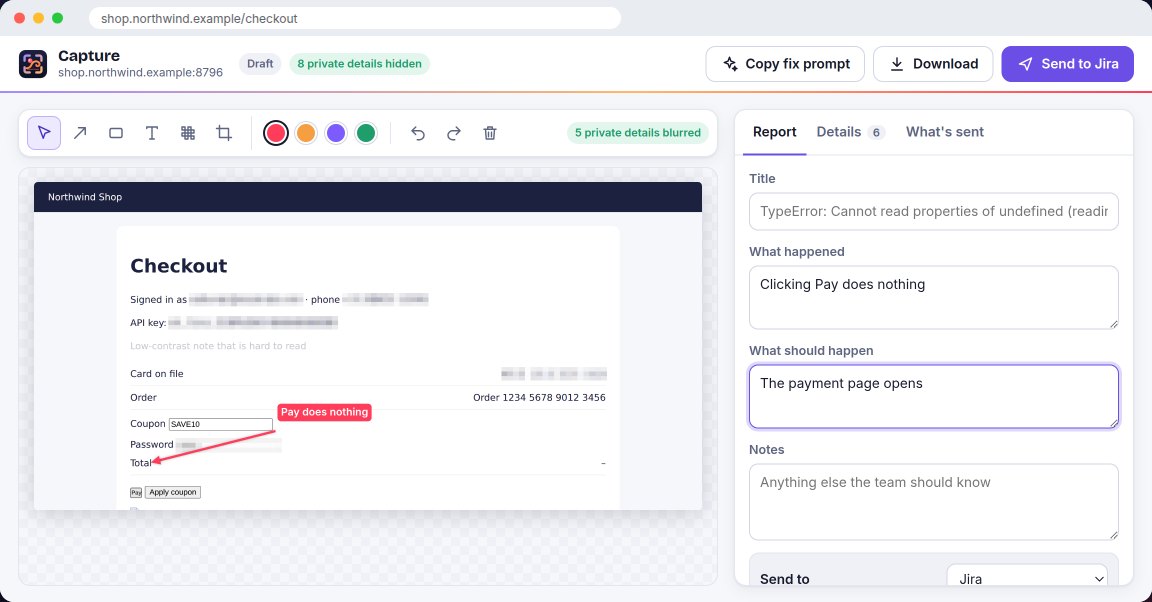
Mark it up with arrows, boxes, text, blur and crop, then send it.
What every report includes
- Errors from the page, including crashes it didn't catch.
- Failed and slow network requests: address, method, status and time. Never request or response bodies, headers or cookies.
- Files that didn't load.
- Steps to reproduce, written from your clicks. Typed text is left out unless you turn it on; password and card fields are never included.
- Speed numbers the browser records: largest content shown, layout shift, slowest interaction, server response and page load.
- Browser, system, window and screen size, zoom, language and time zone.
- For the element you point at: accessibility checks for text contrast, missing labels and click targets smaller than 24 × 24 pixels.
- A short brief written for AI coding agents, and a "Copy fix prompt" button.
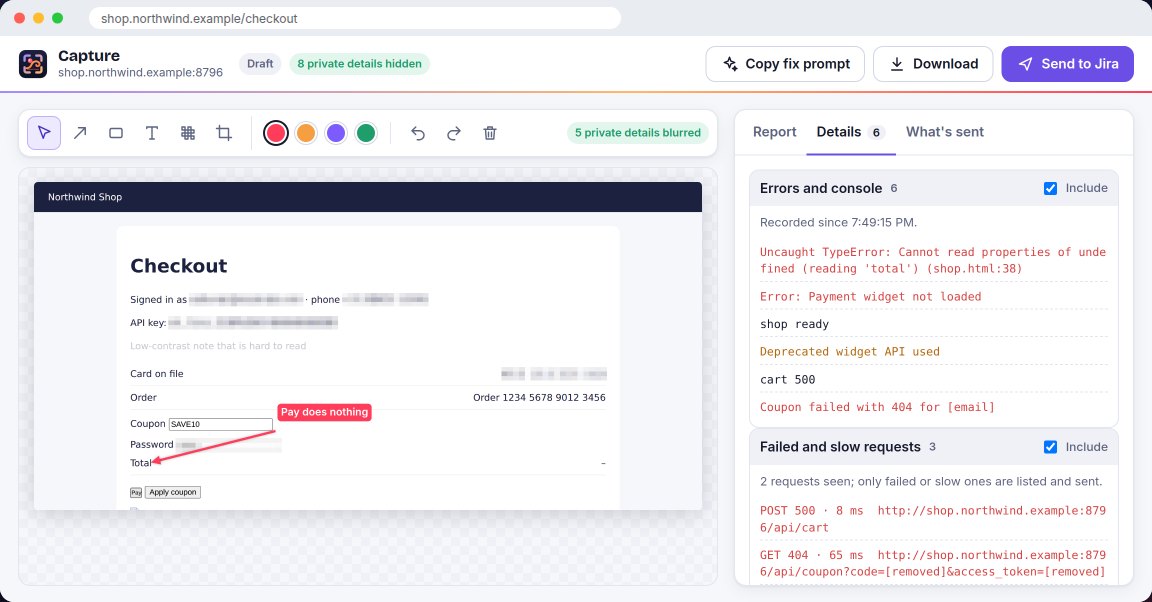
Steps and errors from before you clicked Capture are included on sites where you turn on "Record errors and steps here". Elsewhere, recording starts when you click Capture.
Private details are hidden first
- Emails, card numbers, phone numbers, long ID numbers, passwords and access tokens are blurred in the screenshot and replaced in the text before anything leaves the page.
- "What's sent" shows exactly what will leave your browser, and you can leave out any section.
- Turn Capture off for whole sites, and name parts of pages your team always wants blurred.
- Reports go from your browser straight to your own tracker. They never pass through Bastion Helix, and there is no account.
- Automatic blur covers screenshots and text. It can't blur a replay video, so watch it before you send.
Read the full Capture privacy policy.
Where reports go
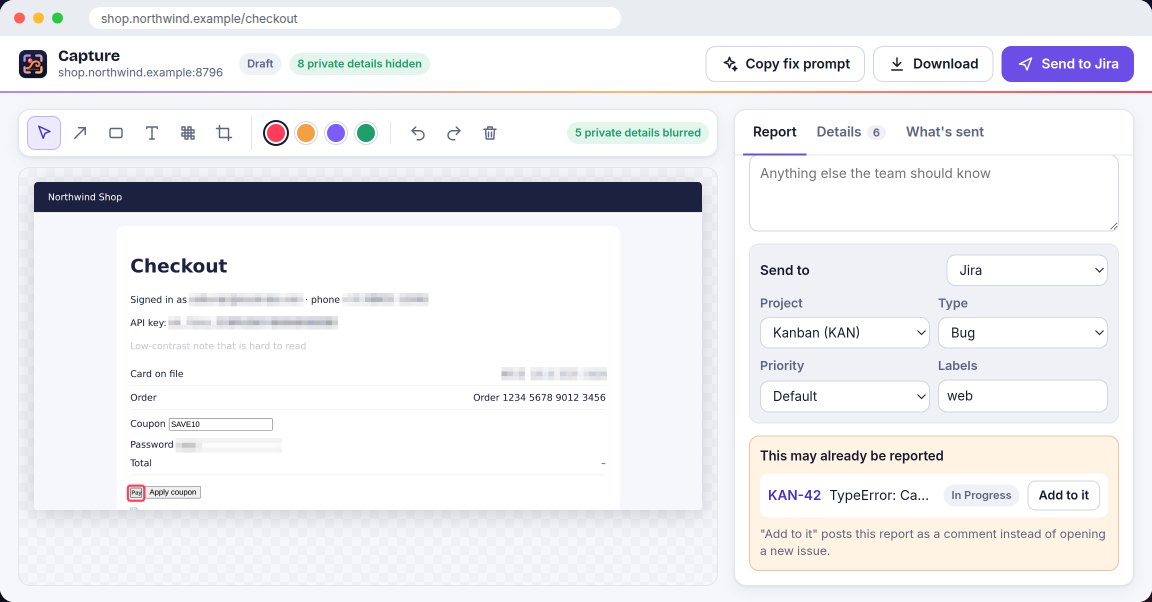
- Jira Cloud: choose project, type, priority and labels; the screenshot and replay are attached to the issue.
- GitHub Issues: optionally keep screenshots in a "bastion-capture" branch of the repository so they show in the issue, because GitHub's API can't attach files to issues.
- Linear: the screenshot and replay are uploaded to the issue.
- No tracker: download one HTML file with everything in it, or copy the report as text.
Before filing, Capture searches your tracker for the same error and offers "Add to it", which posts your report as a comment on the existing issue. If you're offline, the report waits and sends itself when the connection is back.
For teams
Share one team code so everyone sends reports to the same place with the same labels and privacy rules. Tokens and keys are never in the code: each person connects with their own.
Price
Capture is free during early access, with every feature on. If paid plans are introduced, they will be announced on this page before anything changes.
Get Capture
Capture is built and tested, and on its way to the Chrome Web Store. This page will link to it the day it is live. Questions? Email support@bastionhelix.com.
Questions
Does Bastion Helix see my reports? No. Reports go from your browser to your tracker or to a file. We have no server for Capture.
Where are my tokens kept? In Chrome's extension storage on this computer only. They are sent only to the tracker they belong to. Disconnecting removes them.
Which Jira? Jira Cloud, with an Atlassian API token. Jira Data Center and Server are not supported.
Does it work in Microsoft Edge? It is built for Chrome. An Edge version is planned; until it is listed, we don't promise it.