
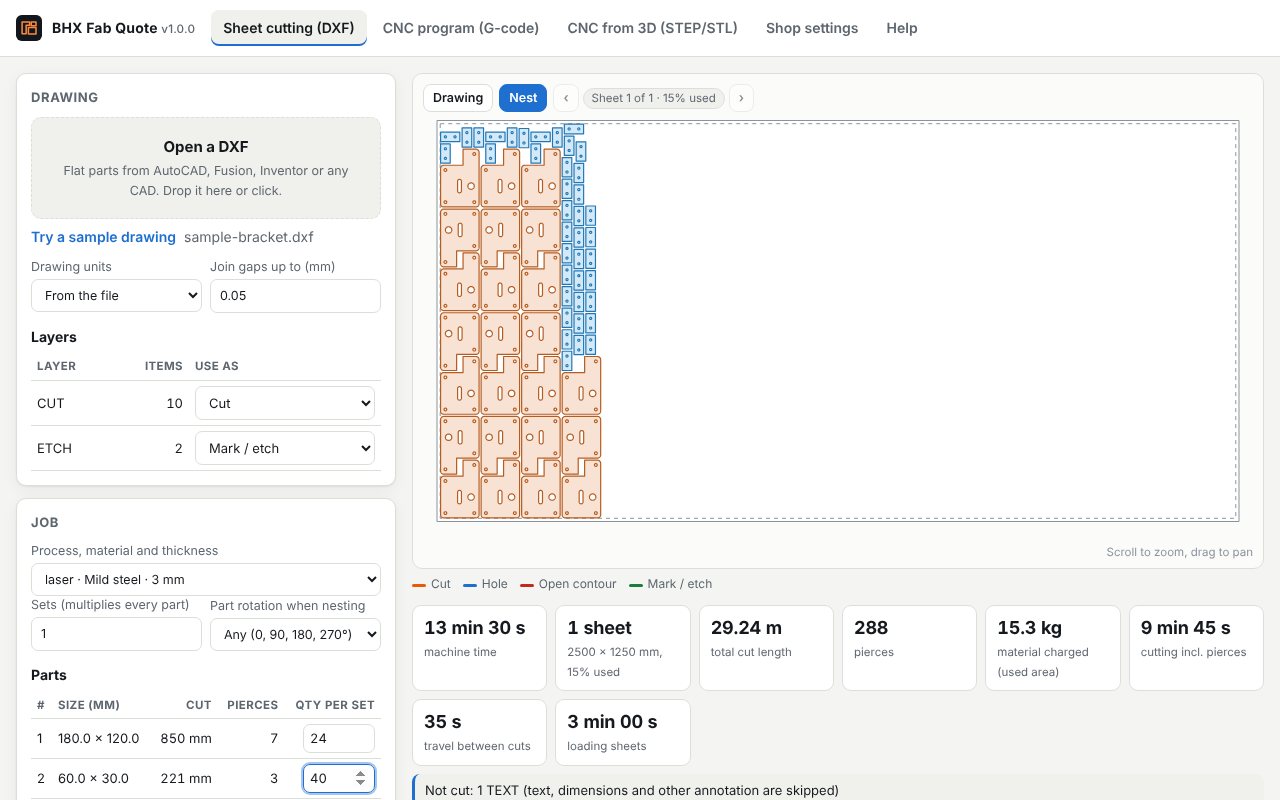
Sheet cutting from DXF
- Reads the drawing: lines, arcs, circles, polylines with curves, ellipses, splines and blocks, in mm or inches. Layers named for text, dimensions or bends are skipped; etch and mark layers are priced as marking.
- Checks it: duplicate lines that would be cut twice, lines that don't close, near-miss gaps, branching lines and holes smaller than the material thickness.
- Nests it: true-shape nesting on your sheet size, with your part spacing and edge margin. Small parts can go inside the holes of big ones.
- Times it: cut length at your cutting speed, slowing for corners and small features as a real machine does, plus every pierce, the travel between parts and sheet loading.
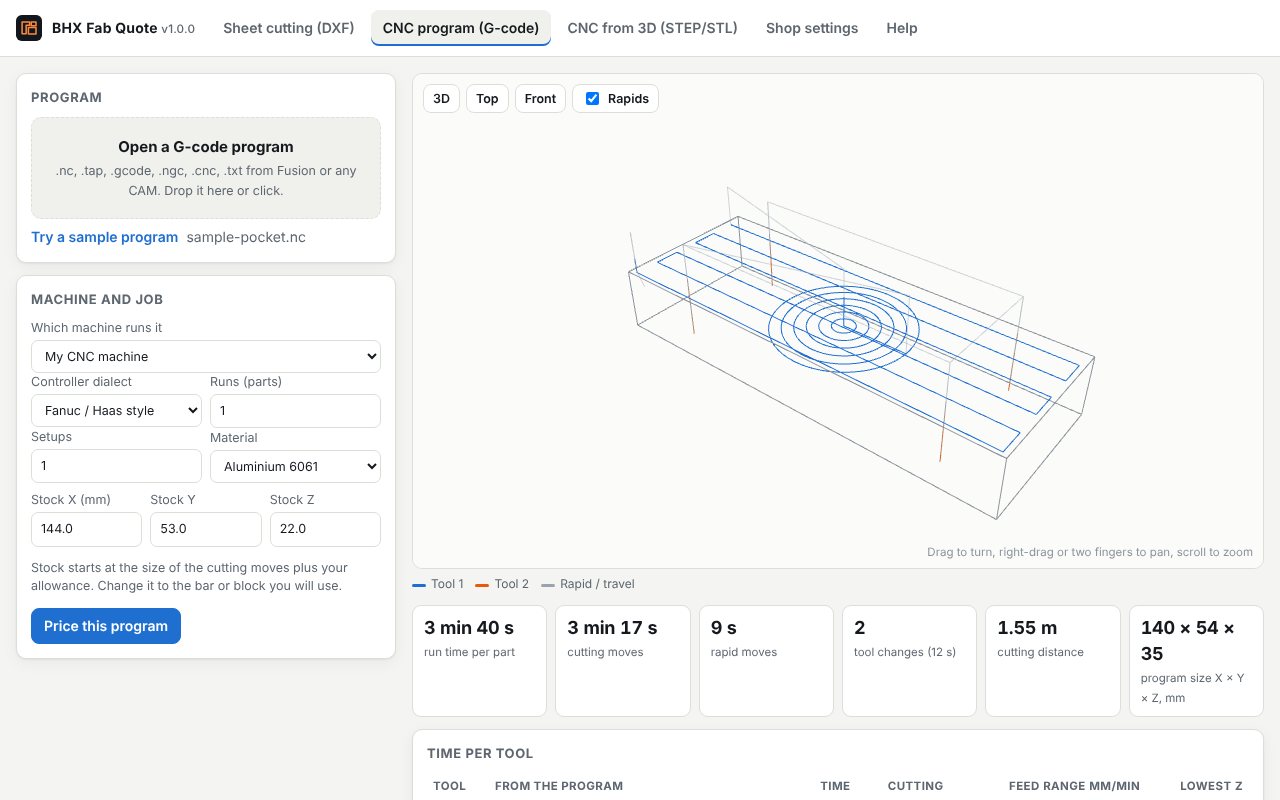
CNC and laser from G-code
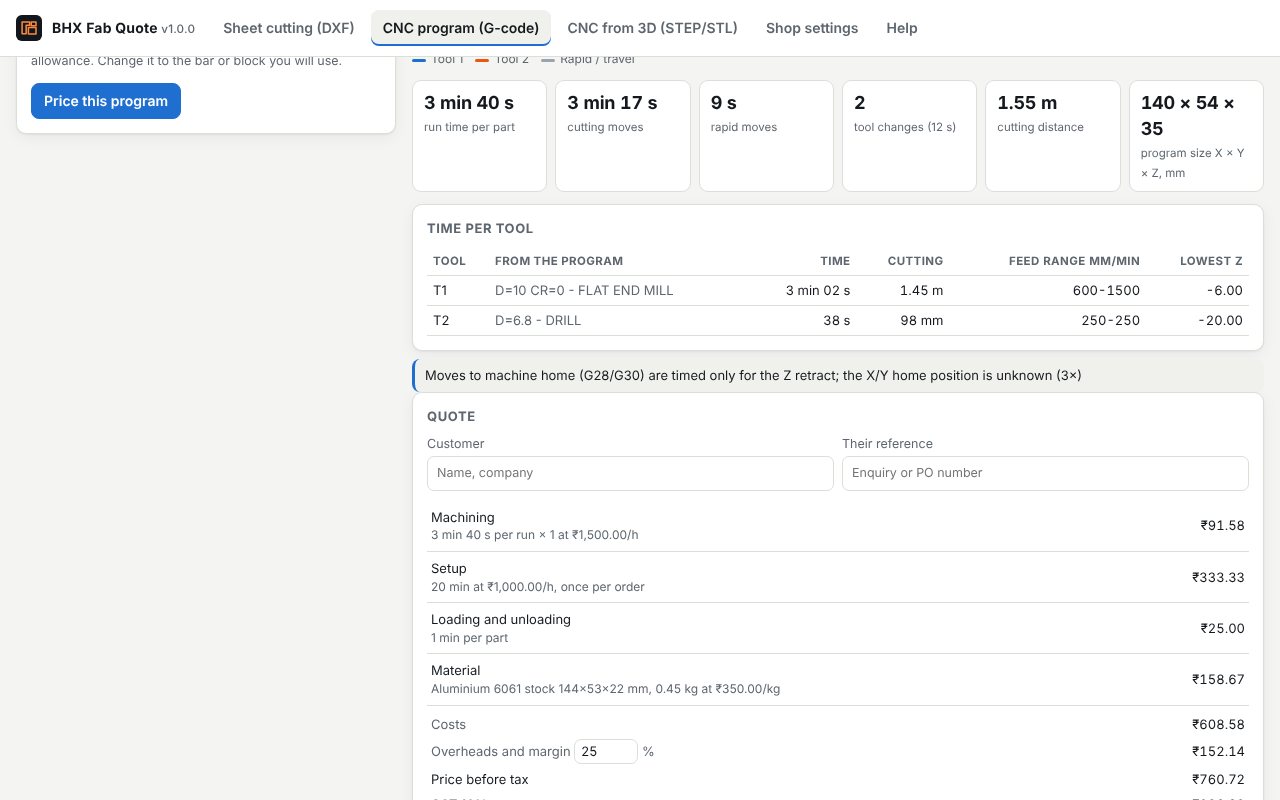
Open the program your CAM made. BHX Fab Quote follows every move, including arcs, helixes and drilling cycles, with your machine's rapid speeds, acceleration and tool-change time. It shows the toolpath, the time per tool, and warnings such as rapid moves below Z0 or a program bigger than your machine. Laser and plasma programs give cut length and pierce count.
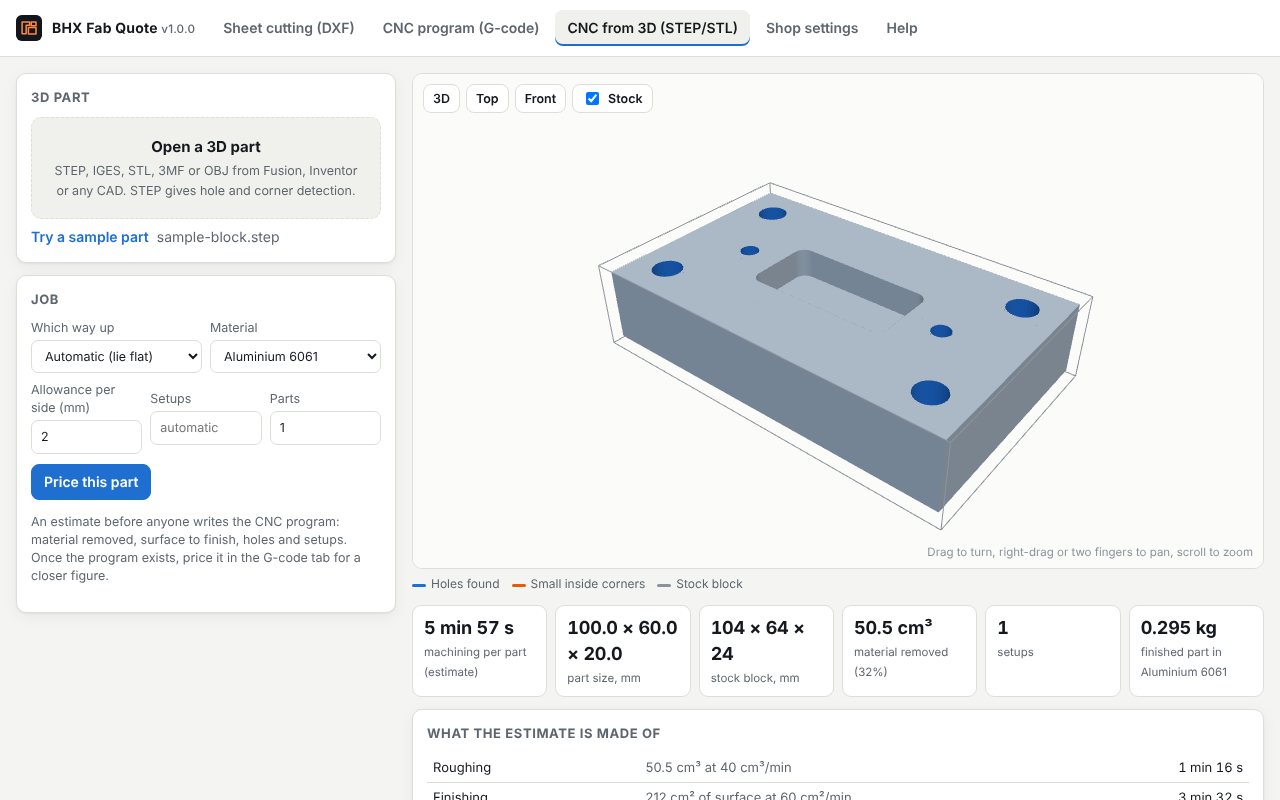
CNC from STEP, before CAM
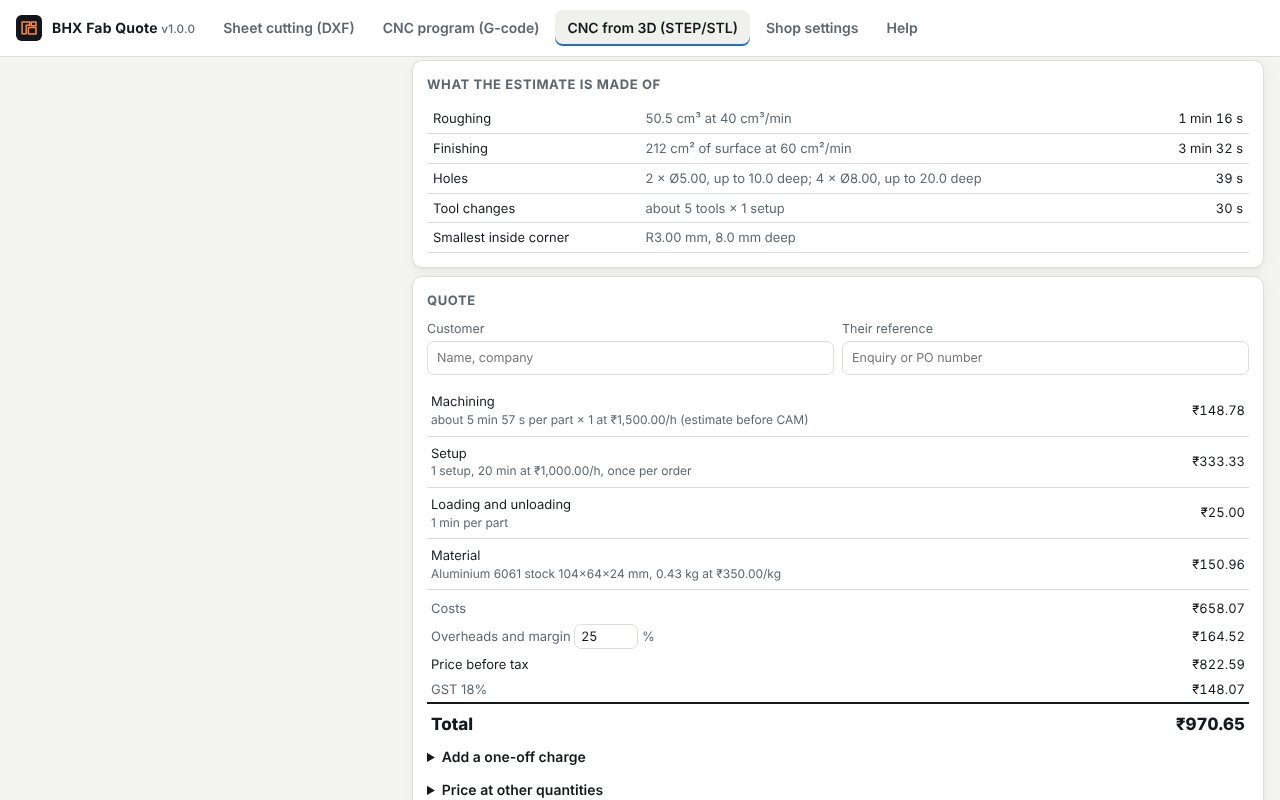
For a quote before anyone writes the CNC program. From a STEP file BHX Fab Quote finds the holes (size, depth and direction), the smallest inside-corner radius, features on the underside and sides, and angled faces. It estimates roughing, finishing, drilling, tool changes and setups at the cutting rates you set, and warns about what makes a part expensive, such as deep holes or tight inside corners. STL, 3MF and OBJ files work too, using volume and surface area.
The quote
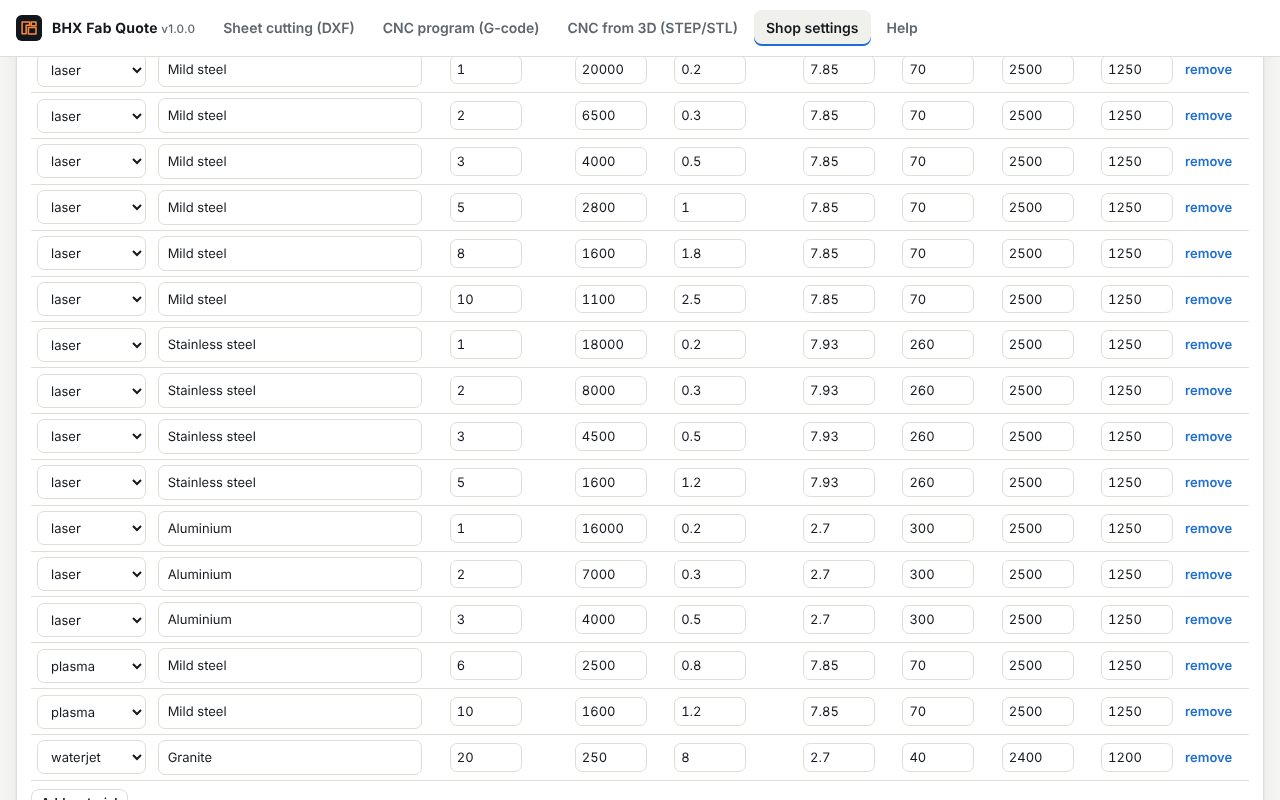
- Your machine rates, material prices per kg, setup charges, margin, minimum order and GST (or any tax).
- Prices at other quantities, one-off charges such as bending or delivery, and extras you add to every job.
- A PDF quote with your shop name, a picture of the job, the price lines, tax and total, numbered in sequence. Your costs and margin stay off the PDF unless you choose to show them.
- Calibration: time one real job, enter the ratio, and every later quote uses it.
Files from Autodesk software
- AutoCAD and AutoCAD LT: save the flat parts as DXF (Save As, then a DXF format) and open it in the Sheet cutting tab.
- Fusion: export a sketch or a flat pattern as DXF for cutting, post the CNC program as G-code for the CNC program tab, or export the part as STEP for an estimate before CAM.
- Inventor: export flat patterns as DXF, and parts as STEP.
For AI agents
The same engine is an MCP server, so an AI assistant can measure and price a job for you. It is stateless: files sent to it are processed to answer the request and are not stored.
- MCP endpoint:
https://quote.bastionhelix.com/mcp(Streamable HTTP, JSON responses, no sign-in). - Tools:
analyse_dxf_for_cutting(parts, cut length, pierces, drawing problems, cut time, optional price),estimate_gcode_run_time(run time, time per tool, warnings, optional price),estimate_cnc_from_stl(estimate before CAM) andget_example_rates. - Plain HTTP:
POST https://quote.bastionhelix.com/v1/dxf,/v1/gcode,/v1/stl, with the same JSON arguments. - Limits: DXF up to 1.5 MB, G-code up to 3,000 lines, STL up to 60,000 triangles. Nesting, larger programs and STEP feature detection are in the app.
{
  "jsonrpc": "2.0", "id": 1, "method": "tools/call",
  "params": { "name": "estimate_gcode_run_time",
    "arguments": { "gcode": "G21 G90\nT1 M6\nG1 X100 F600", "machine": "vmc",
                   "quantity": 20, "machine_rate_per_hour": 1500,
                   "pricing": { "currency": "INR", "margin_percent": 25, "tax_percent": 18 } } }
}
What it doesn't do
- Times are estimates from your machine settings, not a measurement. Calibrate against one real job.
- DXF: 2D only. Text, dimensions and hatches are not cut. Lead-ins, kerf and common-line cutting are not modelled. DWG files must be saved as DXF first.
- G-code: macro programs (#variables, IF, WHILE), subprogram calls and lathe programs are not simulated; the app says when it finds them.
- From 3D, it estimates from volume, surface area and the features it finds. It does not plan toolpaths, and hole and corner detection needs STEP, IGES or BREP.
- Sheet nesting keeps at least the spacing you set and is not the tightest possible nest.
Privacy
The app works in your browser. Files you open are not uploaded. Your shop settings (rates, prices, shop details) are saved in your browser on your computer so they are there next time; nothing is sent to Bastion Helix. The BHX Fab Quote privacy policy has the details, including the AI-agent service.
Support
Email support@bastionhelix.com. If a file is read wrongly, say what you expected and attach the file if you can. Security issues go to security@bastionhelix.com.
Open-source notices
- three.js r128, MIT licence (licence), is built into the app for the 3D views.
- occt-import-js 0.0.23 and Open CASCADE Technology, GNU LGPL 2.1 (occt-import-js licence, Open CASCADE licence), read STEP and IGES files. They sit in a separate file, bhx-step-reader.js, loaded only when you open a STEP or IGES file, which can be replaced with your own build. Source: github.com/kovacsv/occt-import-js and dev.opencascade.org.
Autodesk, AutoCAD, Fusion and Inventor are registered trademarks or trademarks of Autodesk, Inc. BHX Fab Quote is made by Bastion Helix and is not made, sponsored or endorsed by Autodesk.